Kit was alpha-tested on our main development machine, an Intel-based Mac mini. Shortly after our March 6 release, we began testing Linux support using Ubuntu.
We quickly discovered a few issues relating to FFI on Linux. 12 days and 241 commits later (84,414 additions / 45,892 deletions) kit-dataframe has been verified to work on Ubuntu! 🎉
kit-dataframe was a good test for Linux, since it uses FFI and has three other dependencies, all of which must work for kit-dataframe to work.
Verification Environment
- OS: Ubuntu 22.04.2
- Architecture: x86_64
- Kit version: 2026.3.19.1
- kit-dataframe version: 2026.3.18
- Related packages: kit-arrow, kit-parquet, kit-sqlite
The Verification Process
The verification process involved several steps:
- Remove Kit
- Remove local kit-* project sources (kit-sqlite, kit-parquet, kit-arrow, kit-dataframe)
- Run the kit installer to install the latest version
- Verify the installed Kit version
- Clone kit-sqlite
- Install kit-sqlite
- Run kit dev in the kit-sqlite directory to verify there are no issues
- Correct any warnings or errors
- Clone kit-parquet
- Install kit-parquet
- Run kit dev in the kit-parquet directory to verify there are no issues
- Correct any warnings or errors
- Clone kit-arrow
- Install kit-arrow
- Run kit dev in the kit-arrow directory to verify there are no issues
- Correct any warnings or errors
- Clone kit-dataframe
- Install kit-dataframe
- Run kit dev in the kit-dataframe directory to verify there are no issues
- Correct any warnings or errors
Repeat until everything works.
Since this was a repetitive process, we wrote a simple Bash script to work through the issues:
#!/usr/bin/env bash

set -euo pipefail

run() {
  printf 'Running: %s\n' "$1"
  eval "$1"
}

commands=(
  'rm -rf "$HOME/.kit"'
  'rm -rf "$HOME/Projects"/kit-*'
  'curl -fsSL https://kit-lang.org/install.sh | bash'
  'kit version'
  'cd "$HOME/Projects"'
  'jj git clone https://gitlab.com/kit-lang/packages/kit-sqlite.git'
  'cd "$HOME/Projects/kit-sqlite"'
  'kit install'
  'cd "$HOME/Projects"'
  'jj git clone https://gitlab.com/kit-lang/packages/kit-parquet.git'
  'cd "$HOME/Projects/kit-parquet"'
  'kit install'
  'cd "$HOME/Projects"'
  'jj git clone https://gitlab.com/kit-lang/packages/kit-arrow.git'
  'cd "$HOME/Projects/kit-arrow"'
  'kit install'
  'cd "$HOME/Projects"'
  'jj git clone https://gitlab.com/kit-lang/packages/kit-dataframe.git'
  'cd "$HOME/Projects/kit-dataframe"'
  'kit install'
  'kit dev'
)

for command in "${commands[@]}"; do
  run "$command"
done
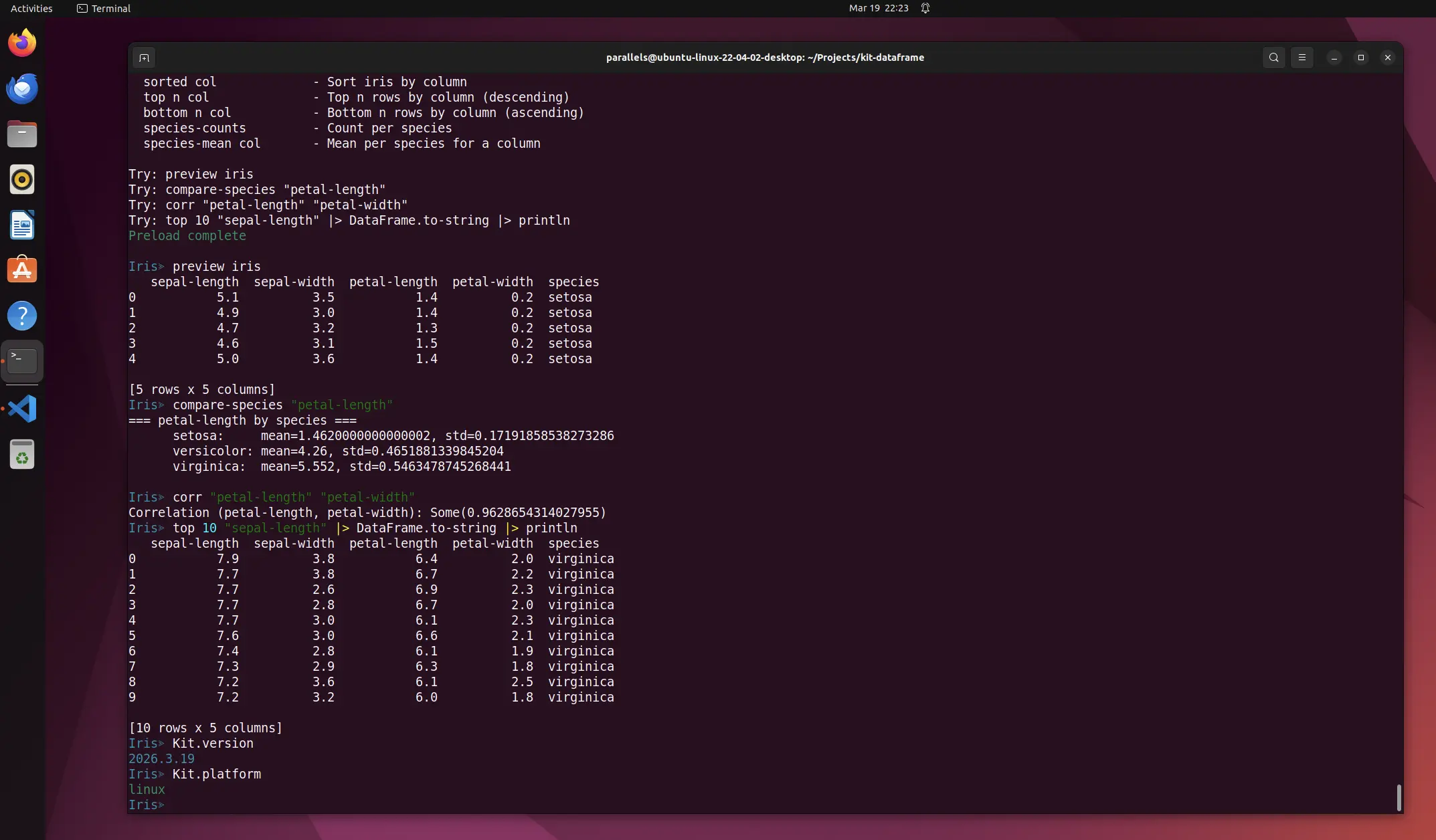
After kit dev ran cleanly for all three related packages, we spun up the custom Kit REPL for the
Iris dataset.
$ kit repl --preload dev/iris.kit
Preload complete

Iris≫ preview iris
   sepal-length  sepal-width  petal-length  petal-width  species
0           5.1          3.5           1.4          0.2  setosa
1           4.9          3.0           1.4          0.2  setosa
2           4.7          3.2           1.3          0.2  setosa
3           4.6          3.1           1.5          0.2  setosa
4           5.0          3.6           1.4          0.2  setosa

[5 rows x 5 columns]
Iris≫ compare-species "petal-length"
=== petal-length by species ===
      setosa:     mean=1.4620000000000002, std=0.17191858538273286
      versicolor: mean=4.26, std=0.4651881339845204
      virginica:  mean=5.552, std=0.5463478745268441

Iris≫ corr "petal-length" "petal-width"
Correlation (petal-length, petal-width): Some(0.9628654314027955)
Iris≫ top 10 "sepal-length" |> DataFrame.to-string |> println
   sepal-length  sepal-width  petal-length  petal-width  species
0           7.9          3.8           6.4          2.0  virginica
1           7.7          3.8           6.7          2.2  virginica
2           7.7          2.6           6.9          2.3  virginica
3           7.7          2.8           6.7          2.0  virginica
4           7.7          3.0           6.1          2.3  virginica
5           7.6          3.0           6.6          2.1  virginica
6           7.4          2.8           6.1          1.9  virginica
7           7.3          2.9           6.3          1.8  virginica
8           7.2          3.6           6.1          2.5  virginica
9           7.2          3.2           6.0          1.8  virginica

[10 rows x 5 columns]
Check out the package documentation for more information: