This post covers the Artemis II tracker, a standalone Kit application built with kit-raylib and inspired by the Wolfram Community Artemis II visualization plus NASA's AROW Unity experience.
The Artemis II tracker is the kind of project that makes Kit feel concrete. It is not a toy rendering demo or a static screenshot generator. It is a standalone raylib-based application that loads mission data, renders an Earth-centered projected view of the flight path, and can overlay a current position marker from live NASA telemetry when that data is available.
The project combines a real-time update loop, graphics, data loading, parsing, interpolation, and a HUD in one fairly compact Kit codebase. That makes it a good example of what Kit looks like outside compiler releases and language features: an actual desktop app with moving state, external data, and a clear visual result.
Project Snapshot
- Project: artemis-ii-tracker
- Date: April 4, 2026
- Project version: 2026.4.4
- Primary dependency: kit-raylib
- Capabilities: ffi, file, net
- Default mission start label: 2026-04-01 22:35:00
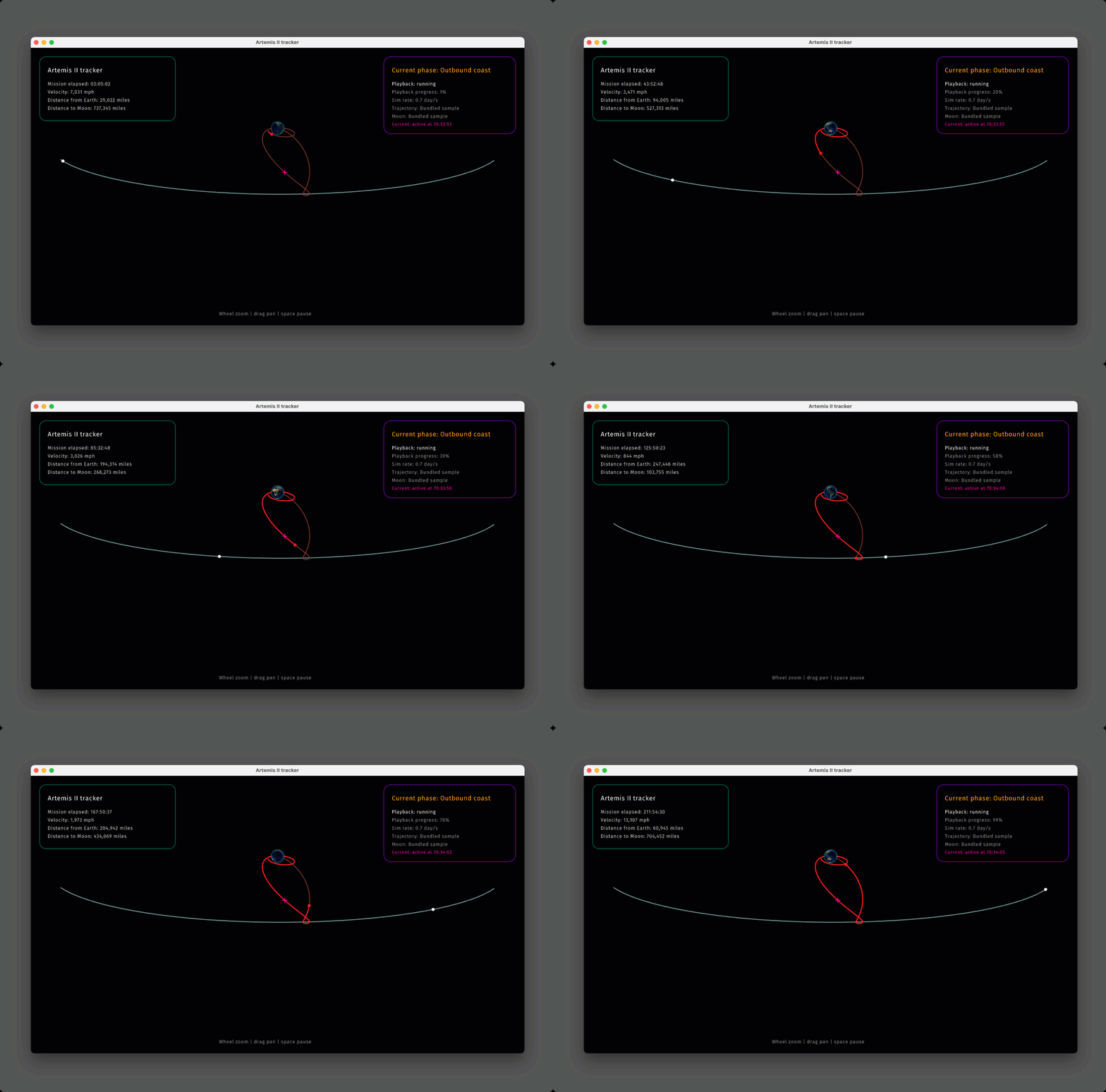
What the Tracker Shows
The default view uses bundled Orion and Moon trajectory CSVs plus an Earth spritesheet derived from NASA Blue Marble imagery. The result is a side-view scene that stays in one coherent projected frame instead of mixing incompatible sources. The app then layers mission metrics and status text on top through a dedicated HUD module.
If the loaded trajectory includes absolute timestamps, the viewer can also draw a current-location overlay. With network access enabled, it prefers live Artemis II telemetry from the same NASA snapshot feed used by the Unity experience. If live data is unavailable, the project can fall back to cached payloads and the bundled mission timing.
A Small Kit Application With Clear Module Boundaries
src/main.kitowns the interactive loop, window setup, and draw/update cycle.src/app-loader.kitassembles the app state from bundled assets, local files, and optional live data.src/mission.kithandles interpolation, mission timing, and derived metrics.src/scene.kitrenders the projected space scene, whilesrc/hud.kitrenders the HUD.src/trajectory-data.kitandsrc/current-telemetry.kitfocus on data ingestion and parsing.
That split is a good fit for Kit. The top-level app stays readable, while the project still has separate modules for rendering, mission math, and data adapters. It reads more like an application than a script without taking on a large framework.
Inputs Beyond the Bundled Demo Data
The tracker is not limited to the built-in scene. It can load several trajectory formats from local files, which makes it useful as both a demo and a practical parser/visualization harness.
- Projected CSV files with
day,x_proj,y_projcolumns. - NASA OEM text or HTML files containing timestamped state vectors.
- JPL Horizons vector output in plain text or JSON API response form.
- An optional second file for custom Moon ephemeris alongside custom Orion data.
- Automatic Moon ephemeris fetching from JPL Horizons when
--allow=netis enabled.
That matters because it turns the project into more than a canned animation. The same viewer can switch between bundled samples, official trajectory exports, and live telemetry-derived overlays without changing the rendering path.
Running It
The repository keeps the run commands simple. During development, the usual loop is:
kit check src/main.kit --allow=ffi,file,net
kit dev src/main.kit --allow=ffi,file,net
kit run src/main.kit --allow=ffi,file,net
kit build src/main.kit --allow=ffi,file,net
For custom data, the same app can be pointed at a local file directly:
kit run src/main.kit --allow=ffi,file ./my-trajectory.csv
kit run src/main.kit --allow=ffi,file,net ./orion-oem.html
The interactive controls are similarly straightforward: mouse wheel or +/- to
zoom, drag to pan, arrow keys to change simulation speed, Space to pause, and R
to reset the view.
Why This Feels Like a Good Kit Example
A project like this exercises several pieces of the language stack at once: native graphics through raylib, file loading, optional network access, typed data records, and a game-style update loop. It shows that Kit can be used for highly visual desktop work without giving up the fast iteration you want from a modern language toolchain.
It also helps that the result is easy to evaluate. Either the tracker loads mission data, animates the scene, and keeps the HUD coherent, or it does not. That makes projects like this useful not only as demos but as integration tests for the broader Kit package and runtime story.